Follow the payment request on your screen before sending a bank transfer. A saved account number or changed amount can cause problems.
Prepare your Betstar77 Mexico LeliPay request
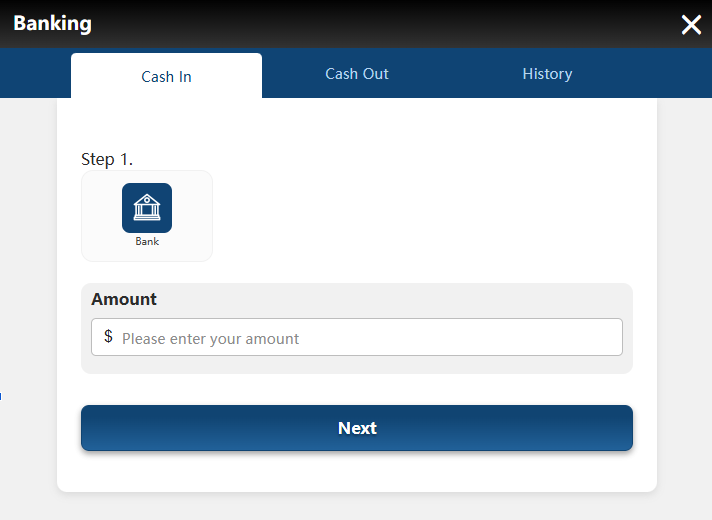
Start inside your signed Mexico account and open Banking. Then select Cash In, rather than Cash Out or History.
Choose Bank under Step 1 to reveal the available payment route. Afterwards, check that the expected fields appear before entering any amount. Keep access to your banking app available for the transfer stage. However, opening Cash In alone does not complete a bank payment.
The first screenshot shows the initial banking panel before the method selection expands. If your screen differs, follow its current labels and ask support about missing options.
Select Leli Pay and review the promotion field
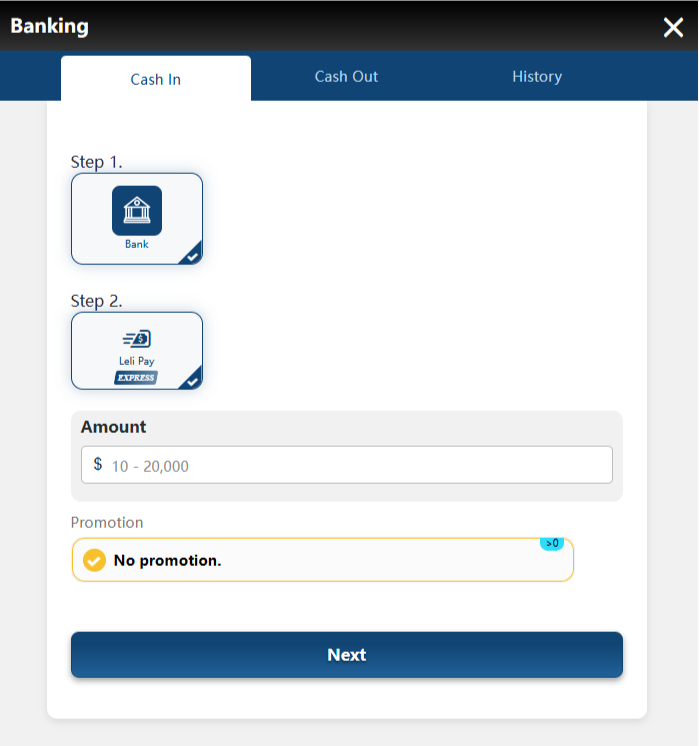
Next, select Leli Pay under Step 2 and check the amount field. The example screen displays an input range of 10 to 20,000.
However, that displayed range does not establish permanent limits for every account or payment request. Confirm the current currency and permitted amount in your own session. Below Amount, review the Promotion field before continuing. In this example, the selection reads No promotion.
Therefore, do not assume that a deposit automatically activates a welcome offer. Review any selected promotion separately, including its eligibility and withdrawal conditions.
Enter the amount and create the payment request
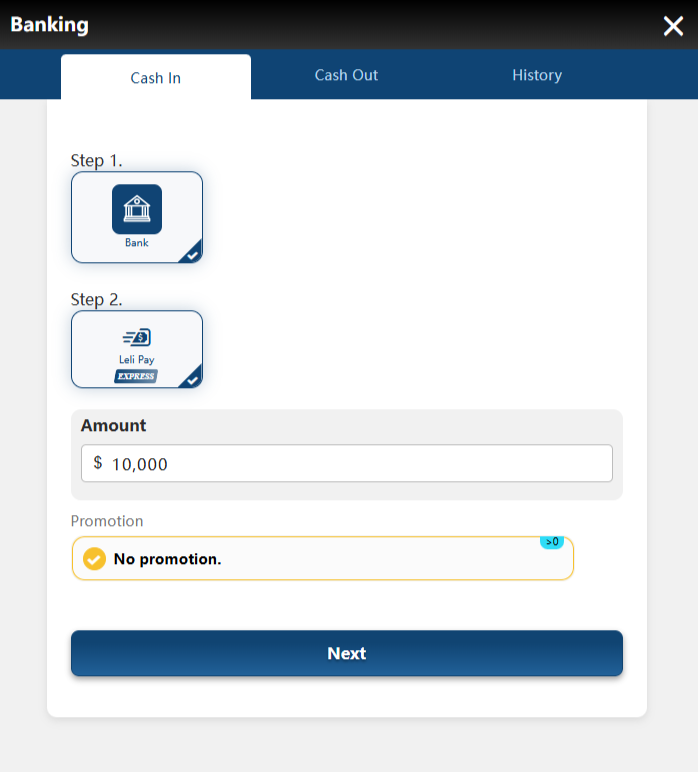
On Betstar77 Mexico LeliPay, enter the amount you intend to transfer, checking the digits carefully. For example, the third screenshot uses 10,000 in the Amount field.
That figure illustrates the process and does not recommend a deposit size. Instead, select an amount that fits your spending limit. Check the payment method and promotion selection again, then choose Next. Afterwards, compare the generated request with the amount you entered.
Keep the bank transfer amount identical to the request amount. If you notice an error before paying, stop and resolve it through the current screen or support.
Check the countdown before opening the payment page
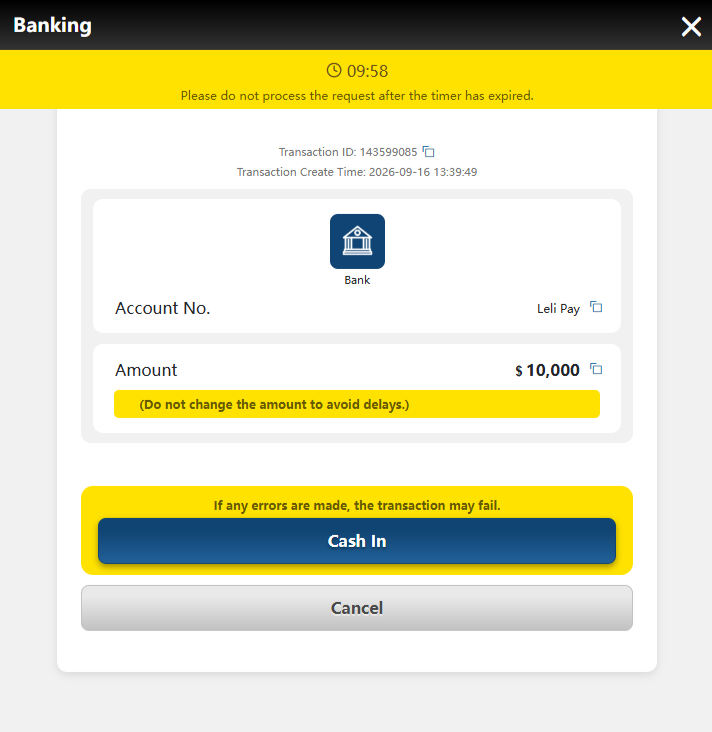
The next panel displays a countdown, transaction details and the requested amount. Meanwhile, its warning instructs you not to proceed after the timer expires.
Check that the amount matches your intended payment before selecting Cash In. In addition, retain the transaction reference privately for any later support query. Choosing Cash In leads towards the provider instructions; it does not prove that funds have arrived. Therefore, keep payment confirmation separate from request creation.
If the timer expires before you transfer, stop using that request. Ask support how to proceed before generating another request or sending money.
Read the account warning before selecting Submit
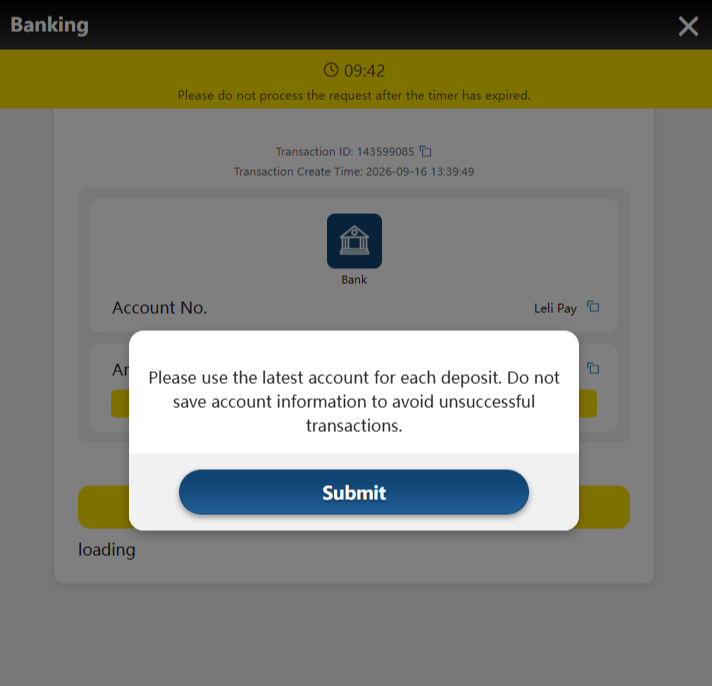
A message tells you to use the latest account for each deposit. It also warns against saving account information for future payments.
Therefore, take recipient details from the current payment request each time. Never reuse account information from these guide images or an earlier transaction. Read the notice, then select Submit to continue to the LeliPay page. Afterwards, check that the destination shows the expected provider and payment details.
If the page fails to load, first check your transaction status with support. Avoid starting another transfer simply because the page appears stuck.
Follow the SPEI instructions and check your balance
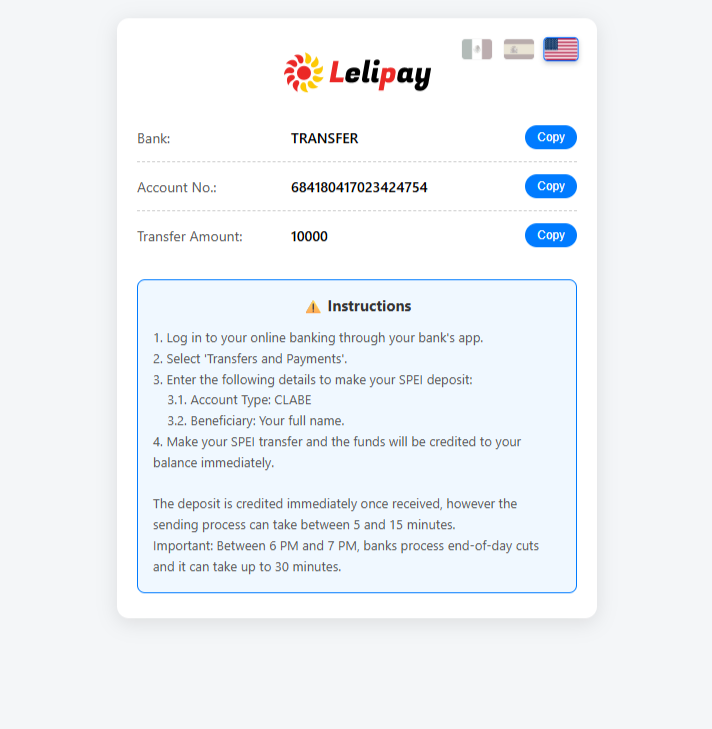
The provider page displays Bank, Account No. and Transfer Amount, alongside Copy buttons. Next, open your bank app and find its transfers or payments option.
For the SPEI deposit, the page specifies CLABE as the account type. Banco de México explains that a CLABE account identifier contains 18 digits. Meanwhile, this page instructs you to enter your full name as beneficiary. If your bank shows conflicting recipient information, stop and confirm it with support.
Copy the current recipient details and exact amount, then review everything before authorizing payment. Afterwards, save your bank receipt and check History and your platform balance.
Keep your banking password, security codes and full account details private. Also, avoid sending a second payment while support checks the first one. The provider estimates five to fifteen minutes for sending, or up to thirty minutes around its stated banking cutoff. However, those timings do not guarantee platform credit or identify a timezone.
Check the completed deposit
Keep the current payment request, bank receipt and account history together until the deposit appears. Above all, match the amount and respect the countdown before paying.
This Betstar77 Mexico LeliPay walkthrough helps you check each screen without relying on saved recipient details. If anything conflicts, pause and contact support. A created request, submitted notice or bank debit alone does not confirm the platform balance.